
Chart Recorder
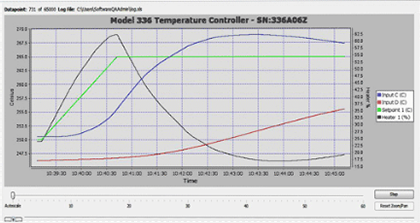
The Lake Shore Chart Recorder is a general charting and logging software tool designed to work with several Lake Shore temperature instruments via USB, serial, GPIB, or Ethernet.
Version: 1.2.1
Publisher: Lake Shore Cryotronics, Inc.
Supported operating systems: Windows Vista and newer
Supported instruments: Model 218, Model 224, Model 331; Model 332, Model 325, Model 335, Model 336, Model 350,
Model 370, and Model 372
Click to launch and install via Java Web Start:

The following prerequisites are required:
- Java version 6 or newer (version 8 recommended)—Download Java
Download the Java executable (JAR) file directly
NOTE: When using GPIB, Java only works in 32-bit.
Installing issues
If the application does not install and place shortcuts on your desktop when you launch, you can do the following:
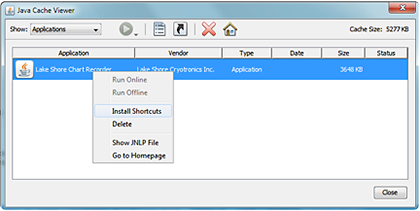
- Open the Windows Control Panel > Java
- Under the General tab, under Temporary Internet Files, click View…
- Select Applications from the Show drop-down box
- Right-click the Lake Shore Chart Recorder application and select Install Shortcuts
Display issues
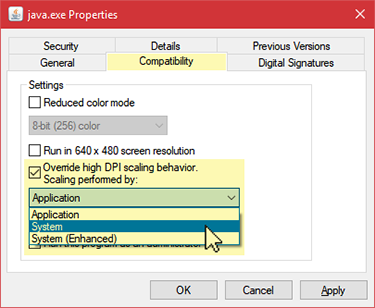
If you are using a high-resolution device and having display issues, you will need to change the properties of your java.exe, javaw.exe, and jp2launcher.exe files.
Right-click each of the three files and go to Properties > Compatibility > Settings, then check the Override High DPI Scaling Behavior box and set the drop-down underneath to System.